Blog · By Rahul Bhadoriya · · 8 min read
Are build-in-public revenue screenshots fake? How to share real ones
A revenue screenshot takes seconds to fake. How to read other people's numbers with care, and how to share your own, even small ones, so people believe them.
Some are fake, and you can't tell which from the picture alone: a dashboard can be edited in the browser before the screenshot, built in a test sandbox, or made on a mock-up site. Treat a screenshot as a claim, not proof. To be believed yourself, name the product and the metric, date it, show the dull months too, and if the number matters, link a page that reads it straight from your payment provider.
Some of them are, and the picture alone can't tell you which. A revenue screenshot is a claim, the same as a number typed into a post. The good news for honest makers is that being believed doesn't take a big number. It takes a number people can check, with the work around it.
Why is everyone asking about this now?
This week a site called Fakemetrics made the Hacker News front page. Its maker called it a fun experiment from testing how well Claude Opus could build pixel-identical interfaces, and pitched it to anyone who wants "a perfect Stripe user growth screenshot" with no revenue behind it. The site itself now calls itself mock dashboards "for decks and jokes", with copies of Stripe, X, Instagram, LinkedIn, Google Analytics, Substack, YouTube Studio and Shopify screens.
Some commenters found it funny. One said it would "enable the worst of the worst". Another pointed out that anyone who wanted to fake a dashboard could already do it "with photoshop or inspect element". On X, one maker called a cropped Stripe screenshot the new "trust me bro", and added: "Named product + public numbers, or it didn't happen." Another summed up the site as "Someone built a site that fakes your Stripe screenshot."
How easy is a revenue screenshot to fake?
Very. Three ways, none of them clever:
- Edit the page. Chrome's own DevTools guide shows how to edit any text on a web page by double-clicking it. Change one number on a real dashboard and screenshot it. Everything else on screen is genuine, because it is.
- Use test data. Stripe sandboxes let developers simulate payments "without real money movement". A cropped picture doesn't show which mode you were in.
- Use a mock-up site. That's what Fakemetrics made a one-click job.
So a screenshot can't settle the question either way.
How should I read other people's revenue screenshots?
With a few plain questions. None proves anything alone, but together they help.
| Ask | Why it matters |
|---|---|
| Is the product named, with a link? | You can look at it, and judge whether the number fits |
| Which number is it: MRR, a month's revenue, all-time? | "$8k" means very different things in each |
| Is there a date or date range? | An old peak can be posted again and again |
| Does price times customers come close? | A $9 app at $50k a month needs over 5,500 paying customers |
| Have they posted flat or bad months before? | Real businesses have them. A line that only goes up is a warning |
| Are they selling a course about the number? | The incentive runs one way |
| Is there a live page you can open? | Then you don't have to trust the picture at all |
Also remember who posts. Founders with big numbers are the most likely to share them. On TrustMRR's statistics page, which covers startups whose revenue is read from their payment provider, about two in three sit in the lowest band, $0 to $1,000 (67.6% when I checked on 17 November 2026). Your feed doesn't look like that, because nobody screenshots $140.
Are small numbers worth sharing?
Yes, and they're usually easier to believe. Here are my own. I built Mat, an iPhone photo widget, in public in July 2026. It had 1,386 users four days after going live. As of mid-November 2026, it has $300 in revenue with 1,800+ active users.
Nobody edits a dashboard to show $300. And on the same TrustMRR page, the median all-time revenue for startups connected through RevenueCat, which many mobile apps use for purchases, was $397. Small is the normal case, not the embarrassing one. Baremetrics, which made its whole revenue dashboard public in February 2014, said it was "barely making $3,000 a month" at the time.
In my count of 2,000 of the most-viewed build-in-public posts on X (117 authors, January 2023 to November 2026), money was the most common subject. These are the money rows from the full table:
| Format | What it is | Posts | Median views |
|---|---|---|---|
| Revenue update | Revenue crossed a line, and the few things that moved it | 635 | 25,930 |
| Exit | You sold the product: what it was and what you learned | 125 | 37,874 |
| Milestone | A threshold crossed, and what it took | 33 | 40,050 |
| Income report | The month's income by product, with costs | 31 | 76,547 |
The income report, the format with the most detail (income by product, with costs), had the highest median of the four. The same cautions apply as with the full table. These are winners, mostly from people who already had an audience, so the table shows what popular posts look like, not what will make yours popular. The sorting was rough, and the income report row is only 31 posts. Read it as a direction: detail didn't hurt.
How do I make my own numbers believable?
Pick the level of proof the number deserves. A casual weekly post doesn't need what a business sale needs.
| Level | What it shows | Good for |
|---|---|---|
| A number in the text | Only what you say | Small, low-stakes updates |
| A screenshot, cropped tight | That you had an image | Not much more than the text |
| A screenshot with the product, metric and date range visible, and the dull parts left in | A fuller picture, still unverified | Regular updates |
| A screen recording, opening the dashboard from the login | Harder to fake, still one moment | A milestone people will question |
| A live page that reads your payment provider | A number you can't edit | Any figure you want taken seriously |
For the last level there are a few options. This isn't a ranking: check what each one reads before you hand anything over.
- TrustMRR builds a public page from your payment provider. Its FAQ lists Stripe, Lemon Squeezy, Polar, Paddle, Dodo Payments, RevenueCat, Superwall, the App Store, Creem, Whop and Shopify, and says syncs are typically hourly. For Stripe it only accepts a restricted key with read-only access, according to its terms, though the same terms say some providers, such as Lemon Squeezy and Whop, use credentials with broader permissions. It rebuilds MRR from raw transactions and says its figures can differ from your provider's dashboard by up to 30%. Its App Store connection arrives a day late and has no MRR.
- RevenueCat Verified Metrics, if your app already uses RevenueCat. It publishes a public page of your project's metrics. You choose which metrics show, and can use an anonymized profile.
- Baremetrics Open Startups, the older idea: companies that make their Baremetrics dashboard public.
If you connect Stripe to anything, use a restricted key. Stripe's own docs say each permission can be set to None, Read or Write, and call restricted keys the safer way to give a third party access.
A verified page proves money moved through one account. It doesn't show sales made elsewhere, costs or profit, so say those in words.
What should a believable revenue post include?
Here's the shape, written with Mat's real numbers as an example:
Mat, my iPhone photo widget, as of [date]:
1,800+ active users. $300 in revenue.
[What you think the gap between those two numbers means.]
Next: [the one thing you're trying, so this number moves].
[screenshot with the date range visible]
Fill the brackets with things that happened, and delete any line you can't fill honestly. A big user count next to a small revenue number is what a real early app looks like, and readers know it.
Do you have to share revenue at all?
No. 14 of the 18 formats in the study need no revenue number, and plenty of makers keep money private. What does build in public mean? covers that in its "Do you have to share revenue?" section. Users, a screenshot of something working or a failure you own can earn as much trust as a dollar figure. If your launch gave you nothing to report, what to post after a launch flops has a week of posts that need no revenue.
Where Moneta fits
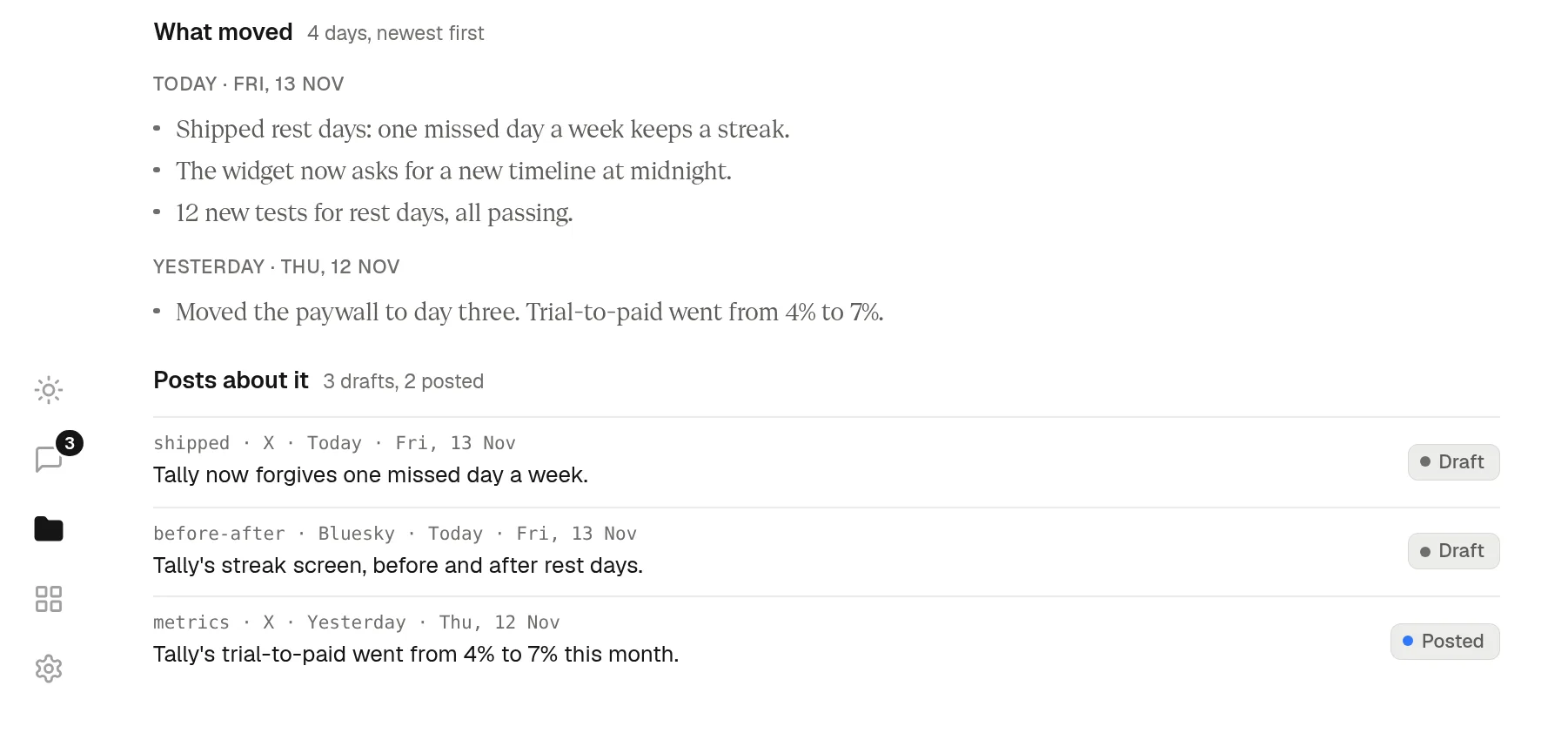
The hardest thing to fake isn't a number. It's months of real work, posted as it happens. I made Moneta to keep that record. It's a Mac menu-bar app that takes a screenshot every minute and keeps your workday in a folder on your Mac. The agent you already use, such as Claude Code, Codex or the Claude app, reads that folder and drafts posts from what you actually did. You check every number in them and press Post.
Your screen never leaves your Mac unless your agent sends it. Privacy has the details.