Blog · By Rahul Bhadoriya · · 4 min read
What does "build in public" mean? A plain answer
Building in public means sharing the work on a product while you're still doing it. What counts, where the idea came from, whether you have to share revenue, and how to start.
Building in public means sharing the work on a product while you're doing it, not only when it's finished: what you shipped, what broke, what you decided and, if you choose, your numbers. People do it to find early users, get feedback sooner and earn trust before they ask anyone to pay.
What counts as building in public
Four kinds of thing, roughly from easiest to hardest to share:
- Progress. What works today that didn't yesterday, usually with a screenshot.
- Process. How you work: your tools, or a decision you made and the option you turned down.
- Mistakes. What didn't work, and what you changed.
- Numbers. Users, revenue, costs. This is the part people think of first, and it's optional.
A launch announcement on its own isn't building in public, because it only tells people about the finished thing. Neither is a stream of general advice with no connection to what you're making.
Where the idea came from
Sharing a company's insides in public is older than the phrase. Buffer has published its revenue and its salaries for years. Ghost began with a public Kickstarter campaign in 2013. Gumroad has held board meetings anyone could watch. The usual name for that is an "open startup".
Solo makers on X and Indie Hackers turned it into a daily habit: small posts about what they shipped and what they earned. Pieter Levels, who shared the revenue of his products as he built them, is one of the examples people cite most.
Do you have to share revenue?
No. Some founders who used to publish every number have stopped, often because it made copying them easier. Damon Chen wrote about that shift in 2023, in The golden era of being an open startup is gone.
Revenue posts are still the most common kind. In our count of 2,000 top build-in-public posts, almost a third were revenue updates. But 14 of the 18 formats in that count need no revenue number at all. You can share progress, lessons and mistakes, and keep the money private.
Does building in public work?
No study proves it causes growth. What exists is founders reporting what happened to them, and popular posts are easier to find than quiet failures.
Here is what can fairly be said for it:
- It gives people more chances to find you. One launch is one chance. A post on most working days is many.
- It brings feedback forward. You hear what's confusing before you've built on top of it.
- It builds trust slowly. A visible record of steady work answers "is this still maintained?" before anyone asks.
And against it:
- Time. Writing is work, and it competes with building.
- Copying. Anything you show can be imitated.
- Pressure. Public numbers feel good going up and bad going down.
How to start
- Pick the one place your likely users already read.
- Post one thing that changed today, with a screenshot and two plain sentences.
- Do it again the next day something changes.
- At the end of the week, list what shipped.
- Hold back anything that's only valuable while it's secret.
There's a longer version in a routine for developers who hate promoting their work.
Common questions
Can someone copy my idea if I build in public?
They can copy what they can see. Share progress and lessons freely, and keep to yourself whatever only works as a secret, such as an unreleased plan or the terms of a deal.
Do I need followers first?
No. Early posts are read by very few people, which makes it the easiest time to find your voice. The posts also stay on your profile, so the first person who looks you up finds a history, not an empty page.
How often should I post?
On the days something changed. A pace you can keep for a year beats a daily streak that lasts two weeks.
Which platform is best?
The one your users already read. For developer tools that's often X. For products sold to companies it's often LinkedIn. Indie Hackers and Reddit suit longer write-ups.
Where Moneta fits
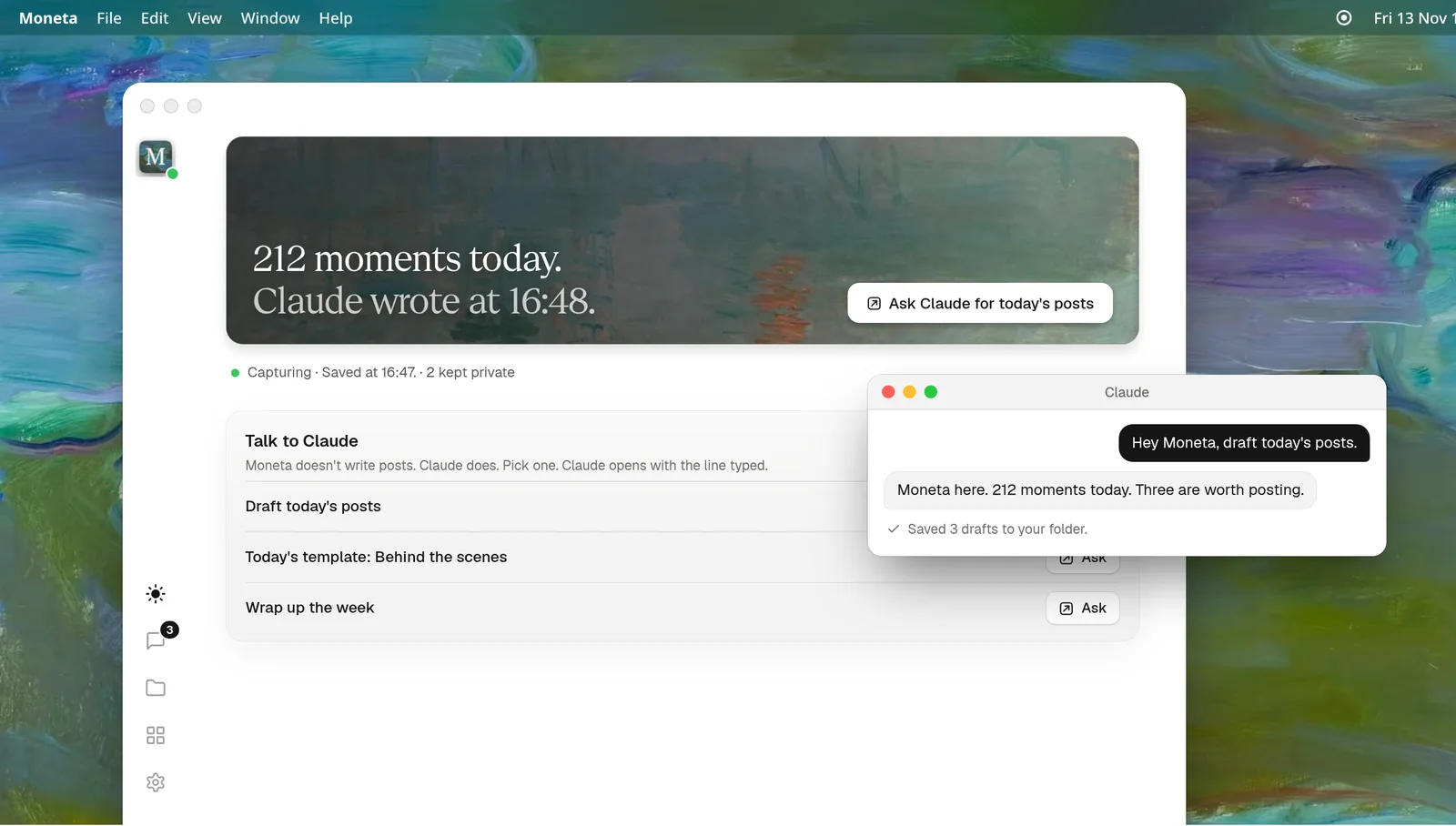
Moneta is a Mac app for building in public without stopping to write. It takes a screenshot every minute and keeps your workday in a folder on your Mac. The agent you already use reads the folder and drafts the posts. You read them and post the ones you like.
How it works shows each step. Privacy answers who can see your screen.